DNS & HTTP
Status Codes
ทำความเข้าใจ HTTP Status Codes ทุกกลุ่ม — 1xx ถึง 5xx, รหัสที่พบบ่อย และวิธีใช้งานที่ถูกต้องใน API design
1. Core Idea: HTTP Status Codes คืออะไร
HTTP Status Code คือตัวเลข 3 หลักที่ server ส่งกลับมาพร้อมกับทุก response ตัวเลขนี้บอก client ว่า request สำเร็จหรือไม่ และถ้าไม่สำเร็จ เกิดอะไรขึ้น หลักจำง่าย: - 2xx → สำเร็จ (Success) - 3xx → ต้องไปที่อื่น (Redirect) - 4xx → client ทำอะไรผิด (Client Error) - 5xx → server มีปัญหา (Server Error)
2. Mental Model: ป้ายผลลัพธ์ในร้านอาหาร
ลองนึกภาพร้านอาหารที่มีป้ายผลลัพธ์ทุกครั้งที่สั่ง: - "200 OK" = อาหารมาแล้ว ทานได้เลย - "201 Created" = สร้างออเดอร์ใหม่สำเร็จ - "301 Moved" = เมนูนี้ย้ายไปหน้า 5 แล้ว - "404 Not Found" = ไม่มีเมนูนี้ - "500 Internal Server Error" = ครัวมีปัญหา ออเดอร์ไม่ผ่าน
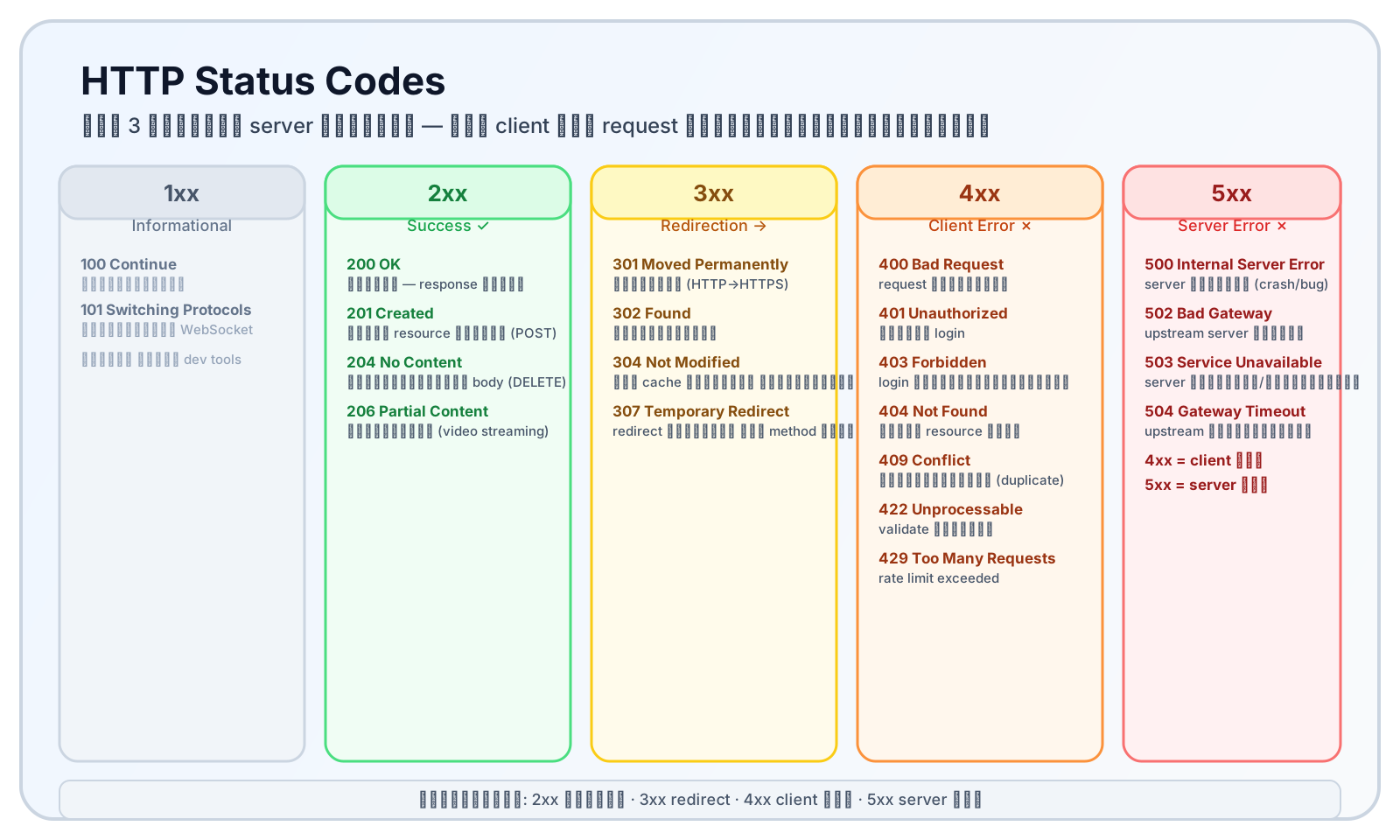
2xx สำเร็จ · 3xx redirect · 4xx client ผิด · 5xx server ผิด
3. 2xx — Success
| Code | ชื่อ | ความหมาย | ใช้กับ |
|---|---|---|---|
| 200 | OK | สำเร็จ มี response body | GET สำเร็จ, PUT/PATCH สำเร็จ |
| 201 | Created | สร้าง resource ใหม่สำเร็จ | POST สร้าง user/order |
| 204 | No Content | สำเร็จ ไม่มี body | DELETE สำเร็จ, PATCH ที่ไม่ return |
| 206 | Partial Content | ส่งข้อมูลบางส่วน | video streaming, download ต่อ |
4. 3xx — Redirection
| Code | ชื่อ | ความหมาย | ใช้กับ |
|---|---|---|---|
| 301 | Moved Permanently | ย้ายถาวร — browser update bookmark | HTTP → HTTPS, เปลี่ยน URL ถาวร |
| 302 | Found | ย้ายชั่วคราว — browser ไม่ update bookmark | maintenance page |
| 304 | Not Modified | ใช้ cache ได้ ไม่ต้องโหลดใหม่ | ETag/If-None-Match |
| 307 | Temporary Redirect | ย้ายชั่วคราว ใช้ method เดิม | POST redirect ชั่วคราว |
| 308 | Permanent Redirect | ย้ายถาวร ใช้ method เดิม | POST redirect ถาวร |
ข้อควรรู้: 301/302 อาจเปลี่ยน method เป็น GET อัตโนมัติเมื่อ redirect 307/308 บังคับให้ใช้ method เดิม — ใช้กับ API ที่ต้อง redirect POST request
5. 4xx — Client Error
| Code | ชื่อ | ความหมาย | วิธีแก้ |
|---|---|---|---|
| 400 | Bad Request | request ผิดรูปแบบ หรือ parameter ไม่ถูก | ตรวจ request body/params |
| 401 | Unauthorized | ยังไม่ authenticate — ยังไม่ login | ส่ง auth token |
| 403 | Forbidden | authenticate แล้ว แต่ไม่มีสิทธิ์ | ตรวจสิทธิ์ user |
| 404 | Not Found | ไม่มี resource นั้น | ตรวจ URL ให้ถูก |
| 405 | Method Not Allowed | method ไม่รองรับ เช่น DELETE ที่ GET-only endpoint | ใช้ method ที่ถูก |
| 409 | Conflict | ข้อมูลขัดแย้ง เช่น email ซ้ำ | ส่งข้อมูลที่ unique |
| 410 | Gone | เคยมี แต่ถูกลบถาวร | ไม่ต้อง retry |
| 422 | Unprocessable Entity | format ถูกแต่ business logic ไม่ผ่าน | ตรวจ validation rules |
| 429 | Too Many Requests | เกิน rate limit | รอแล้ว retry หรือดู Retry-After header |
6. 5xx — Server Error
| Code | ชื่อ | ความหมาย | สาเหตุทั่วไป |
|---|---|---|---|
| 500 | Internal Server Error | server มีปัญหาที่ไม่คาดคิด | unhandled exception, bug ใน code |
| 502 | Bad Gateway | gateway รับ response ผิดพลาดจาก upstream | upstream server crash/ตอบผิด |
| 503 | Service Unavailable | server ไม่พร้อม | deploy กำลังทำอยู่, overload, maintenance |
| 504 | Gateway Timeout | upstream ตอบช้าเกิน timeout | database slow, third-party API timeout |
4xx = client ผิด ต้องแก้ที่ request 5xx = server ผิด ต้องแก้ที่ server (ผู้ใช้ไม่ต้องทำอะไร)
7. Worked Example: อ่าน Status Code ใน DevTools
- 1) เปิด Chrome → F12 → เลือก tab 'Network'
- 2) โหลดหน้าเว็บหรือทำ action ที่ต้องการดู
- 3) เห็น list ของ request — ดูคอลัมน์ Status
- 4) คลิก request → เห็น Headers tab (Request/Response headers)
- 5) เห็น Preview/Response tab → ดู response body
- 6) ถ้า status เป็น 4xx → ดู response body มักมี error message อธิบาย
- 7) ถ้า 5xx → ต้องดู server log เพิ่มเติม เพราะ error อยู่ที่ server
ใช้ curl ตรวจสอบ status code จาก terminal
8. Practical Notes: จุดสับสนของมือใหม่
- 401 ≠ 403 — 401 ยังไม่ login (ส่ง credentials), 403 login แล้วแต่ไม่มีสิทธิ์
- 404 อาจซ่อน 403 — บาง API ตอบ 404 แม้ resource มีอยู่ เพื่อไม่เปิดเผยว่ามีข้อมูลนั้น
- 500 ≠ ทุก server error — 502 เกี่ยวกับ gateway, 503 server ไม่พร้อม, 504 timeout
- Retry logic — ควร retry 429 (รอตาม Retry-After) และ 503 แต่ไม่ควร retry 400/401/403/404
- Custom status codes ไม่มี — ใช้แค่ standard codes และส่ง error detail ใน response body
9. Recap — สรุป DNS & HTTP Phase
- 2xx = สำเร็จ (200 OK, 201 Created, 204 No Content)
- 3xx = redirect (301 ถาวร, 302 ชั่วคราว, 304 ใช้ cache)
- 4xx = client ผิด (400 bad request, 401 ไม่ login, 403 ไม่มีสิทธิ์, 404 ไม่มี)
- 5xx = server ผิด (500 bug, 502 gateway, 503 ไม่พร้อม, 504 timeout)
- คุณเรียน DNS & HTTP ครบแล้ว: DNS → Resolution → HTTP vs HTTPS → Request-Response → Status Codes